What Is Tripo3D? A Clear Definition for Creators
Tripo 3D is an AI 3D model generator that converts a text prompt or a single image into a textured 3D mesh in seconds. If you have been searching for "what is tripo3d", the short answer is this: a browser-based creation tool that lets designers, game developers, and ecommerce teams produce usable assets without manual modeling.
What Is Tripo3D in One Line?
Put simply, tripo3d is a generative AI service for 3D assets: type what you need, upload a reference photo, and receive a mesh with UVs and PBR materials ready for export. It is not a replacement for a full digital content creation suite like Blender or Maya; it is the first drafting step in a production pipeline.
How Tripo 3D Works
Describe or upload
Start with a text prompt such as "wooden stool with three legs" or one clean reference image of the object you want.
Mesh generation
Tripo3D runs the input through a generative model that outputs a base mesh, UV layout, and texture maps.
Refine
Adjust the prompt, regenerate the topology, or simplify the mesh before you commit to a final version.
Export
Download the finished model as GLB, OBJ, FBX, STL, or another format and drop it into Unity, Blender, or a 3D printer slicer.
Related: if text input is your starting point, see our guide to text to 3d model generation. For a broader category overview, compare AI 3D model generator workflows. Need a photo-based result? The image to GLB route is the fastest path.
What This Tool Can and Cannot Do
Before comparing results, what is the tool actually good at? Tripo3D is strongest at hard-surface and organic objects that can be described in one sentence. It is weaker at assembly-level scenes, precise mechanical tolerances, or text-heavy packaging. The comparison below shows the same source photo before and after Tripo3D processing.
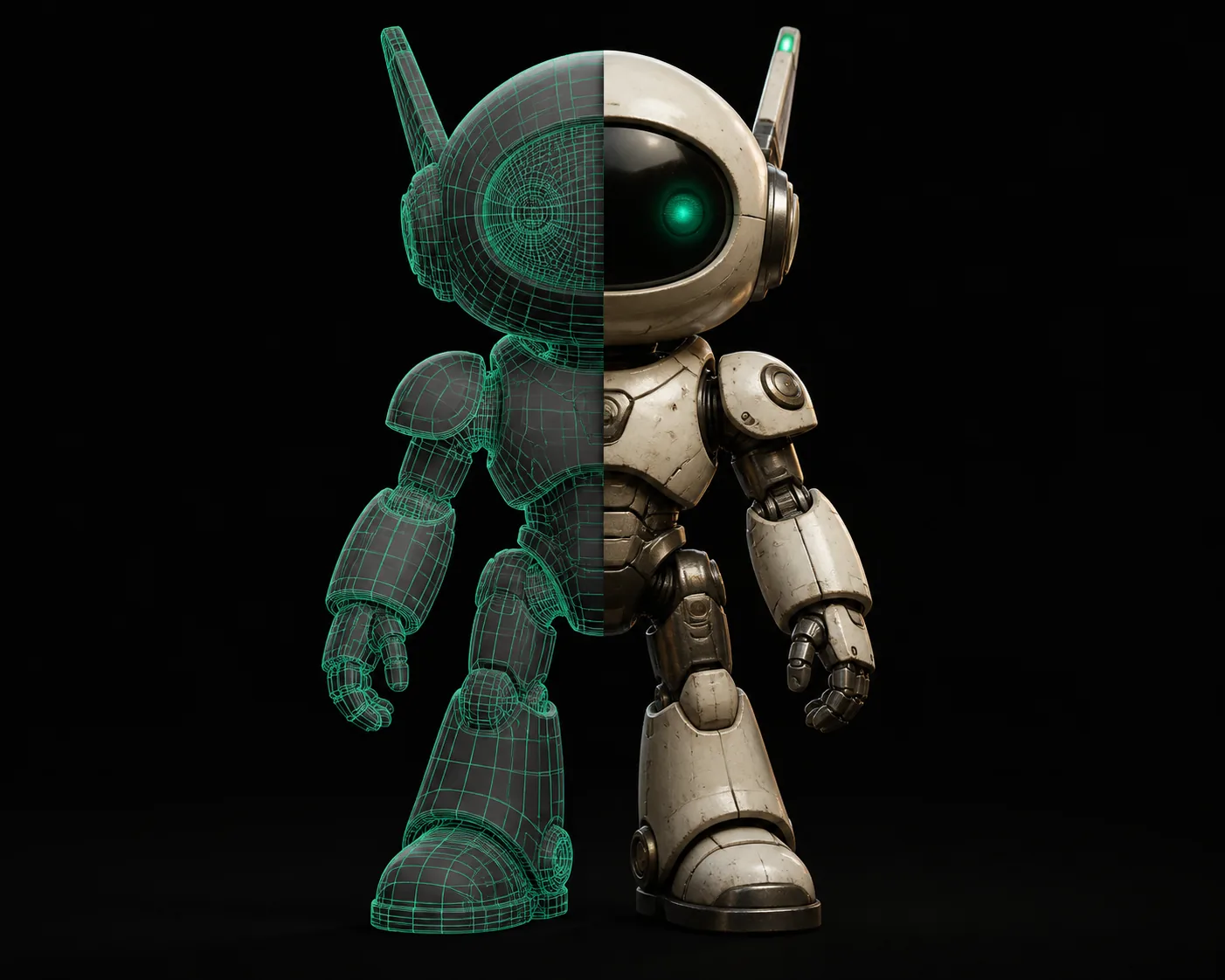
Note: results vary with image quality, lighting, and the complexity of the object. A clean single-angle photo gives the most reliable mesh.
Who Actually Uses Tripo 3D
Three groups get the most value from tripo3d: game developers blocking out props, ecommerce teams creating product viewers, and hobbyist 3D printers turning photos into printable files.
What is still hard for Tripo3D?
Complex topology
The base mesh is clean but not always production-ready. Run auto-retopology or reduce poly count in Blender before use.
Fine details
Thin parts such as chair legs, railings, and hands can merge. Add multiple reference angles or split the object into smaller pieces.
Text and logos
Prompted typography is unreliable. If your asset needs readable label text, generate it as a separate texture or add it in post.
Rigging
Output is a static mesh, not a rigged character. Plan a separate skinning step for animated characters.
What is required before you start?
Common Questions, Answered
Is Tripo3D the same as a traditional 3D editor?
No. Tripo3D generates a starting mesh from language or image input, while a traditional editor gives you full manual control over every vertex. Most users combine both: generate in Tripo3D, then refine in Blender or Maya.
Can I use Tripo3D for commercial projects?
Yes, in most production workflows. Check the service terms for the exact license on generated models, then export your asset and use it in games, product configurators, or print-on-demand files.
Does Tripo3D work from a single photo?
A single clean photo is enough for many objects, especially hard-surface props. For complex or symmetric objects, one more angle or a short video helps the model avoid artifacts.
What is the difference between Tripo3D and Meshy?
Both are AI 3D generators with similar text-to-3D and image-to-3D features. Tripo3D leans on fast topology and texture output; Meshy is often praised for stylized characters. Test the same prompt in both and compare export quality.